
Calculate Grocery Total
Given an array of grocery item prices, calculate the total cost by summing all prices. Return the total as a single number.
For example, prices [3, 5, 2] total to 10. A single item [7] totals 7. An empty list totals 0. Negative prices are not expected.
Summation is the most fundamental aggregation operation. It is used in calculating bills, computing averages, totaling scores, and accumulating measurements. The pattern of accumulating a running total by iterating through a collection is essential for all data processing work.
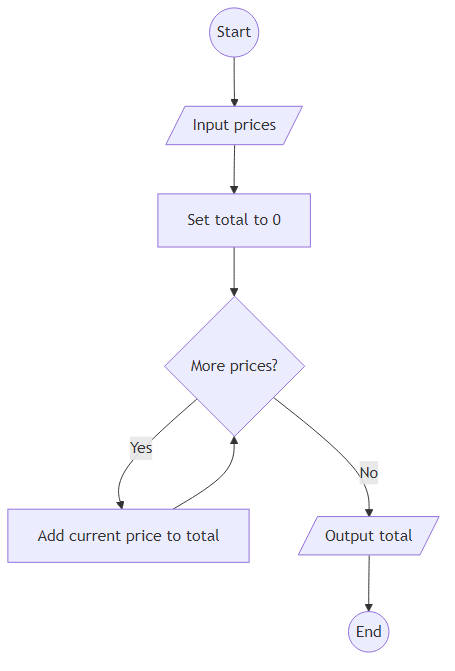
The solution initializes a total variable to 0 and adds each price to it during iteration. After the loop, return the total. This runs in O(n) time with O(1) space.
Edge cases include an empty array (return 0), a single element (return that element), and very large arrays where the sum might exceed typical integer ranges.
Example Input & Output
An empty basket has no cost, so the total stays 0.
Add 12 + 5 + 8 + 10 to get the full total.
With only one item, the answer is just that item price.
Algorithm Flow
Solution Approach
Iterate through the array and accumulate the sum of all prices into a running total.
Initialize total to 0. Loop through each price and add it to the running total using the addition operator. After all items are processed, return the accumulated total. For an empty array, the loop never executes and total remains 0.
Time complexity is O(n), space complexity is O(1).
Best Answers
program calculate_grocery_total
dictionary
   prices: array[1..100] of integer
   total, i, n: integer
algorithm
   input(prices)
   total <- 0
   n <- prices.length
   for i <- 0 to n - 1 do
      total <- total + prices[i]
   endfor
   output(total)
endprogramComments (0)
Join the Discussion
Share your thoughts, ask questions, or help others with this Challenge.